
Access & attendance
Access Control Systems
Replace keys and register books with credentials you can issue, restrict and cancel from a screen — and prove who opened which door, when.
- Card
- Fingerprint
- Face
- PIN
- Mobile
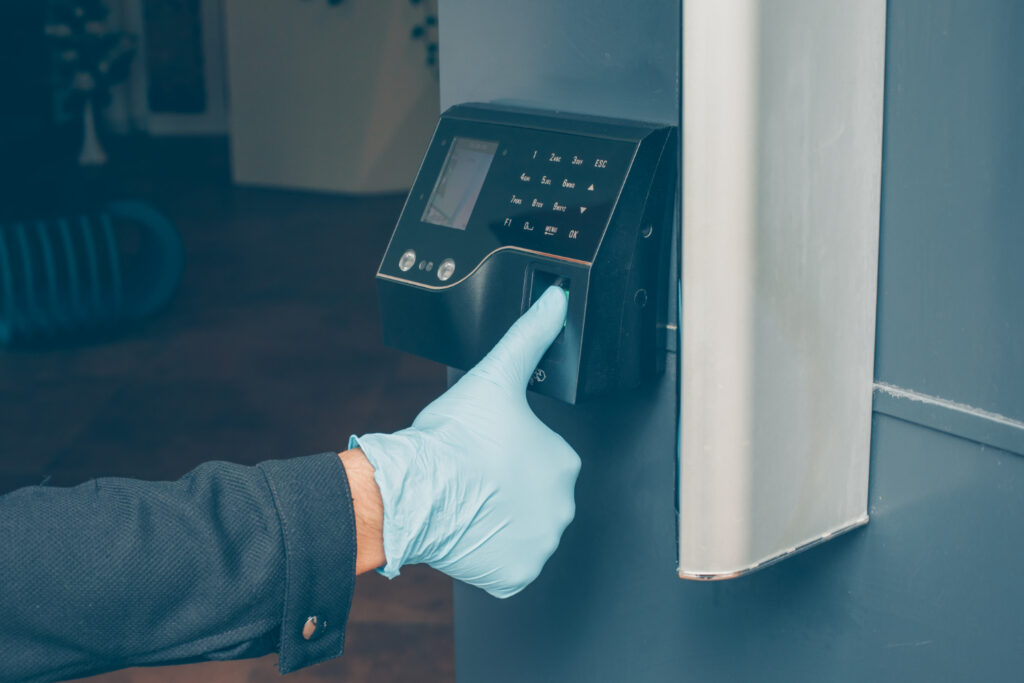
- Cancel a lost card or a leaver’s access in seconds
- Time zones and access levels per person and door
- A searchable record of every opening
- Doors release for free exit on fire alarm
How it’s built
Five parts in every system
Knowing them makes any quotation easier to judge.
Card, fingerprint, face, PIN or phone
Beside the door or in the turnstile
Decides, then releases the lock, strike or gate
Users, time zones, access levels and reports
Credentials
Choosing the right credential
StrengthFast, cheap, easy to cancel
Watch forCards can be shared
StrengthCan’t be lent to a colleague
Watch forWorn or dirty fingers
StrengthContactless and quick
Watch forLighting and mounting height
StrengthNothing to carry
Watch forCodes can be shared
Specifications
At a glance
- Credentials
- RFID card or fob, fingerprint, face, PIN, mobile
- Locking
- Electromagnetic lock, electric strike, drop bolt, turnstile, gate motor
- Software
- Users, time zones, access levels, reports
- Fire safety
- Fail-safe release and exit buttons on escape routes
Applications
Where it’s used
Works with
Part of a connected system
In depth
Technical information
Detailed guidance on access control systems from our survey and installation team.
Overview
Most sites already have a lock, a guard and a register book. None of those tell you who opened the server room at 2 a.m. last Tuesday, or stop a resigned employee from walking back in with a key that was never returned.
What an access control system is made of
Every installation, large or small, is built from the same five parts. Understanding them makes it much easier to judge a quotation.
- The credential — what the person presents: an RFID card, a fingerprint, a face, a PIN or a mobile credential.
- The reader — the device that reads it, mounted beside the door or in the turnstile.
- The controller — the panel that decides whether to unlock. On serious installations this sits in a secure room, not on the unsecured side of the door.
- The locking device — electromagnetic lock, electric strike, drop bolt, turnstile mechanism or gate motor.
- The software — where you create users, set time zones and access levels, and pull reports.
Choosing the right credential
| Credential | Strength | Limitation |
|---|---|---|
| RFID card or fob | Fast, cheap, easy to issue and cancel, works with gloves | Can be lent or lost, so pair it with a PIN on sensitive doors |
| Fingerprint | Tied to the person, no sharing, low cost per user | Struggles with worn or wet fingers in industrial environments |
| Face recognition | Contactless, fast, works well with masks and helmets removed | Needs controlled lighting and correct mounting height |
| Palm or vein | Contactless and highly reliable in dusty or wet sites | Higher device cost |
| PIN keypad | No credential to carry or lose | Codes get shared, so best used as a second factor |
High-security doors normally use two factors, for example card plus fingerprint. For most offices, a single factor at the perimeter and two factors on server rooms and cash rooms is the right balance.
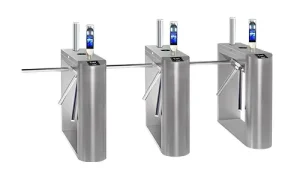
Turnstiles and speed gates
A door reader controls access. A turnstile enforces it, by physically allowing one person through per valid credential. This is what stops tailgating, and it is why turnstiles are standard at factories, offices and campuses where headcount must be accurate.
- Tripod turnstiles — the most economical option, ideal for factory and staff entrances with high throughput
- Flap barriers — faster and smoother, suited to corporate lobbies and offices
- Speed gates — wide, glass-wing units for premium receptions, with sensors that detect tailgating
- Full-height turnstiles — cage units for unmanned perimeters, stadiums and industrial boundaries
- Swing gates — wide lanes for wheelchair access, trolleys and deliveries, always installed beside a turnstile lane
Personnel access, vehicle access and attendance in one system
Access control works best when it is not an island. On most of our installations the same credential is used across:
- Doors and turnstiles for entry to the building and restricted areas
- Vehicle gates via long-range RFID readers and automatic road barriers
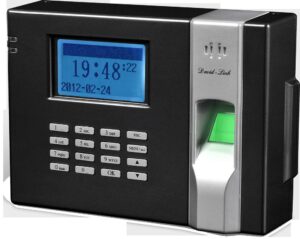
- Attendance, so the same punch feeds payroll through our biometric attendance devices and HRIS and payroll software
- Visitors, through our visitor management system, which issues a temporary credential valid only for the area and time approved
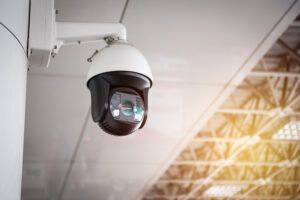
- CCTV, so that every access event has a matching camera snapshot
What the software gives you
- Access levels: which person may open which door, and when
- Time zones: office hours, shift patterns, weekends and holidays
- Anti-passback: a credential cannot be used to enter twice without exiting, which stops card-passing
- Interlock: two doors that cannot be open at the same time, used for cash rooms and clean rooms
- Muster and roll-call reports: who is inside the building right now, printable at an assembly point
- Audit trail: every grant, every denial, every door-forced and door-held alarm, with date, time and user
- Instant revocation: a leaver's access is cancelled in seconds, across every door
Fire safety and free egress
An access control system must never trap people inside. Every installation we do includes a break-glass emergency release on the exit side of controlled doors, fail-safe locks on designated escape routes so they release when power is cut, and an interface to the fire alarm system that drops the locks on alarm. Turnstile arms drop to a free-rotation state on fire signal. We treat this as a non-negotiable part of the design, not an option.
Where we install access control
- Corporate offices and head offices
- Factories, mills and industrial units with shift-based workforces
- Hospitals and laboratories, including restricted wards and pharmacies
- Universities, colleges and schools
- Banks, cash rooms and data centres
- Housing societies and gated communities
- Warehouses, logistics hubs and cold storage
Our implementation process
- Survey: we walk every door and gate, record leaf type, frame material, power availability and cable routes.
- Design: door schedule listing lock type, reader, controller, power supply and emergency release for each opening.
- Supply: hardware from established brands including ZKTeco and Hikvision, chosen to match the environment.
- Installation: containment, cabling, controllers in secure positions, locks aligned and tested under load.
- Training and handover: administrators trained on enrolment, revocation and reporting, with documentation.
- Support: maintenance contracts, spare readers and locks, and remote assistance for software issues.
FAQ
Common questions
Can access control work with our existing doors?
In almost all cases, yes. Wooden, aluminium, glass and steel doors can all be fitted — the lock type changes, not the concept. Glass doors typically take a magnetic lock with a glass bracket, and steel doors an electric strike or drop bolt.
Can one card open doors and also mark attendance?
Yes, and this is how we recommend deploying it. One credential, one enrolment, and the attendance punch flows straight into payroll instead of being typed in again.
Can you take over a system installed by someone else?
Yes. We regularly take over existing installations, audit the door hardware and wiring, replace what has failed and bring the software and user database back under control.
Next step
Tell us which doors matter
We survey the doors, recommend credentials and quote the full system.
Prefer to talk? +92 42 35786020 · WhatsApp