
Libraries
RFID Library Management System
Shorter queues and fewer missing books: readers identify a whole stack at once, and gates alarm on anything not issued.
- RFID tags
- Self-issue kiosk
- Security gates
- Stock-take
- Issue and return a stack of books in seconds
- Stock-take in hours, not weeks
- Members borrow and return without staff
- Exit gates alarm on any item not issued
The complete system
What’s included
Thin tags inside each book with item ID and security bit
Several items issued or returned at once
RFID or EM gates at the exit
Shelf scanning and out-of-hours returns
Specifications
At a glance
- Components
- Tags, staff reader, self-issue kiosk, security gates, handheld reader, book drop, software
- Gate types
- RFID or EM
- Software
- Catalogue, membership, circulation, fines, reservations, reports
Applications
Where it’s used
In depth
Technical information
Detailed guidance on RFID library management system from our survey and installation team.
Overview
A library's two recurring problems are the queue at the issue counter and the books that quietly disappear. RFID solves both: readers identify a whole stack of books at once instead of one barcode at a time, and security gates at the exit detect any item that has not been issued.
MMB Technologies supplies, installs and supports complete RFID library systems in Pakistan — tags, readers, self-issue kiosks, EM and RFID security gates, handheld inventory readers and the software that runs it all.
What the complete system includes
| Component | What it does |
|---|---|
| RFID tags | Thin adhesive tags applied inside each book, carrying the item ID and security bit |
| Staff pad reader | Counter reader that issues and returns several items at once and sets the security bit |
| Self-issue kiosk | Lets members borrow and return without staff, with a printed or emailed receipt |
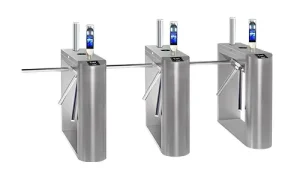
| Security gates | RFID or EM gates at the exit that alarm on any item not properly issued |
| Handheld reader | Shelf-scanning device for stock-taking and for locating misplaced items |
| Book drop | Out-of-hours return unit that registers the return automatically |
| Library software | Catalogue, membership, circulation, fines, reservations and reporting |
What it changes day to day
- Issue and return in seconds: a stack of books is read together rather than scanned individually
- Stock-take in hours, not weeks: a handheld reader walked along the shelves identifies every item and flags what is missing or out of place
- Theft prevention: exit gates alarm on unissued items, with a counter showing how often it happens
- Staff freed from the counter: self-issue kiosks handle routine transactions so librarians can help members instead
- Accurate fines and reservations: due dates, renewals, holds and fine calculation handled by the system
- Usage reporting: which titles circulate, which sit unused, and which subjects need more stock
RFID or EM gates?
Both detect an unissued item leaving the library, but they work differently. EM (electromagnetic) systems use a magnetic strip and are the lower-cost option where security alone is required. RFID systems use the same tag for security and for identification, so the gate can tell you exactly which title triggered the alarm, and the same tag supports self-issue and shelf scanning. Where budget allows, RFID is the better long-term choice; a hybrid approach is also possible for libraries converting in phases.
Where we install
- University and college libraries
- School and campus libraries
- Public and municipal libraries
- Corporate, legal and medical reference libraries
- Research institutions and archives
How a conversion project runs
- Survey: collection size, entrance and exit layout, existing catalogue system and membership records.
- Design: tag type, gate positions, kiosk placement, counter layout and network requirements.
- Data migration: your existing catalogue and member database imported and verified.
- Tagging: tags applied and encoded against each item. For large collections we phase this by section so the library stays open.
- Installation: gates, counter readers, kiosks and book drop installed, cabled and powered.
- Training: librarians trained on circulation, stock-take and reporting; members guided through self-issue.
FAQ
Common questions
How long does tagging a collection take?
An experienced operator tags and encodes roughly 200 to 300 items an hour. A collection of 20,000 items therefore takes a small team about two weeks, and we normally run it section by section so the library keeps operating.
Do tags damage the books?
No. Tags are thin adhesive labels placed inside the back cover or on an inner page. For rare or fragile items we use alternative placements agreed with your librarian.
Can the same card be used for library and campus access?
Yes. On campus installations we commonly issue one card that works at the library, the gate and the attendance terminal — see access control systems.


Next step
Tell us about your collection
Number of items and service points — we’ll plan the conversion.
Prefer to talk? +92 42 35786020 · WhatsApp